
IT Support Response Time Expectations: What to Expect
IT support response time expectations explained: realistic targets by priority, what a good SLA looks like, and how to measure resolution time fairly.

IT support response time expectations explained: realistic targets by priority, what a good SLA looks like, and how to measure resolution time fairly.

Book a local managed IT consultation with confidence. Learn what to expect, questions to ask and how to prepare for your IT support needs assessment.

Why small businesses need endpoint protection: what it covers, how it stops breaches and downtime, and a budget-aware plan for 2026.

Summary: Your IT budget should include the technology you already use, the support required to maintain it, and the upgrades you expect to make during the year. It should also cover cybersecurity, backups, employee changes, planned projects, and a reserve for urgent repairs or replacements.

Managed IT services for 20 employees explained: what’s included, service tiers, provider scorecard and onboarding. Plan your IT with confidence.

Learn how to evaluate managed IT providers with a practical checklist, scoring rubric, SLA red flags and security checks.
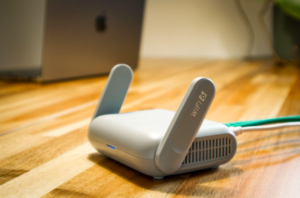
Summary: Guest Wi-Fi should provide internet access while blocking connections to your internal business network. A different Wi-Fi name and password do not confirm that the networks are separated. The router, access points, and firewall must also be configured to prevent guest devices from reaching

Summary: Before canceling a cloud service, export your data and confirm that the files can be opened or imported. Move any connected applications and sign-ins, then check the provider’s current rules for access, billing, retention, and deletion. A cloud service may hold years of customer

Summary: Allow personal devices only for approved work, through approved apps, and when the device meets your security requirements. Use company-owned devices for administration, sensitive work, or jobs that require large amounts of data to be stored locally. Employees often use personal devices for work

Summary: Employees should use standard accounts for email, web browsing, and everyday work. Administrator access should be limited to approved IT tasks and protected with a separate account. Administrator access often starts with one request. An employee needs to install a printer, update a specialist