

01 Nov 7 Onsite IT Support Gold Coast Business Must-Knows
Last Updated: November 1, 2026
Quick Summary
Onsite IT support is hands-on technical help delivered at your premises by a qualified technician, covering failed hardware, cabling, office fit-outs and faults that remote tools cannot confirm. We triage remotely first, then book a visit around your operating hours and verify the fix with the affected staff member.
- Book onsite work for failed hardware, cabling, new starter desks, office relocations and intermittent faults.
- Log the issue with error wording, affected desks and business impact so we can triage and often resolve it remotely.
- Arrange building access, keep the affected device on site and confirm local administrator credentials before the visit.
- Skipping remote triage is the biggest cause of wasted onsite time and avoidable second visits.
- We confirm the fix with the person who reported it before closing the job, then document what was replaced.
Table of Contents
- What Onsite IT Support Gold Coast Businesses Actually Get
- Onsite Computer Support for Businesses: A Practical Process
- Remote IT Support: Faster for Most Problems, Not All
- Business Network Support: Wi-Fi, Servers and the Stuff That Stops Work
- IT Support for Small Business: Proactive Beats Reactive
- How to Evaluate an IT Support Provider Before You Sign
- Frequently Asked Questions
What Onsite IT Support Gold Coast Businesses Actually Get
Onsite IT support is hands-on technical help delivered at your premises by a qualified technician, rather than remotely over a network connection.
At PCFIXIT, we have supported local businesses since 2007, and the pattern is consistent. Many everyday issues can be resolved remotely.
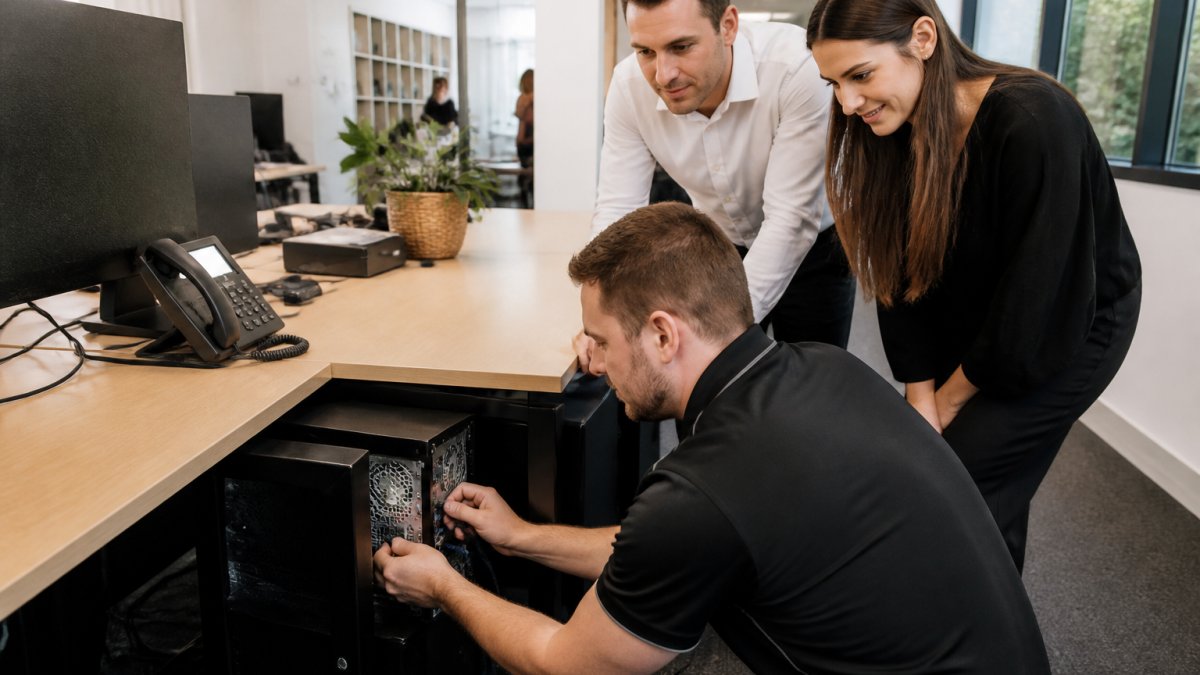
The jobs that genuinely need a person on site
Not every problem justifies a visit. These do:
- A workstation or server that will not power on, or shows signs of hardware failure
- Network cabling, switch replacements or Wi-Fi access point installation
- Setting up a new starter’s desk, dock and peripherals
Everything else, from password resets to Microsoft 365 configuration, is usually faster handled remotely. If you want to understand how a visit gets organised, our guide on how to arrange IT support for your Gold Coast office walks through what to include in your enquiry and how we plan remote, onsite and appointment-based assistance.
Onsite Computer Support for Businesses: A Practical Process
Good onsite computer support for businesses follows a predictable sequence, and that predictability is the point. Most providers describe the visit itself; far fewer explain what happens before and after, which is where most wasted time and repeat visits come from.
Step 1: Log the issue with enough detail to act on
You contact our helpdesk by phone or email. The difference between a fast resolution and a slow one is usually the quality of the first message. Useful details include:
- What the person was doing when the problem started, and whether it happens every time
- The exact wording of any error message, or a photo of the screen
- Which staff, desks or rooms are affected, and whether it is one device or several
A one-line “computer broken” is not a problem, it is a starting point for a phone call. A short, specific description often lets us triage and, in many cases, resolve the issue before anyone travels.
Step 2: Triage remotely first
Some “onsite” requests can be resolved in a remote session. Before we dispatch anyone, we check whether the fault is software, configuration, account access or something physical. This step helps protect your time and budget, as it avoids sending a technician to a job that does not need one.
If remote triage confirms a physical cause, we move to booking. If it cannot confirm the cause, we treat that as a signal that onsite investigation is warranted rather than guessing.
Step 3: Prepare devices and access before the visit
This is the step most businesses skip, and it is the one that most often causes a second visit. Before the technician arrives, it helps to have:
- Access arranged. Someone who can let the technician in, or a clear process for building and office access. For after-hours work, confirm who holds keys or access cards.
- The affected device available. If a laptop normally leaves the office at 5pm, keep it on site for the visit, or tell us it will be absent.
- Local administrator access or credentials. If your environment restricts who can install or change settings, confirm the process in advance rather than discovering it on the day.
None of this is onerous, but each item removes a common reason for a return visit.
Step 4: Book a time that suits your operating hours
If hardware or physical work is needed, we book a time that suits your business and tell you who is coming and roughly what they will do. We aim to schedule visits around your operating hours so they do not land in the middle of your busiest period. Where the work is disruptive, cabling, switch replacement, meeting room reconfiguration, we plan it outside core hours where possible.
Step 5: Attend, resolve and verify with the person affected
The technician arrives with the parts and information needed, fixes the issue, and confirms it with the person who reported it. Verification matters: a fix that works for the technician but not for the person at the desk is not a fix. We ask the affected staff member to confirm the issue is gone before we close the job.
Step 6: Document and follow up
We record what happened, what was replaced, and anything that could recur. If the same fault appears at multiple desks, that pattern is worth acting on, it may point to a batch of ageing hardware, a power issue, or a configuration problem that proactive monitoring can catch earlier next time.
A common mistake is booking a visit without triage, so the technician arrives without the right replacement part and a second visit is needed. Skipping remote triage is the single biggest cause of wasted onsite time, and the easiest to avoid.
If you want to understand how a visit gets organised from your side, our guide on how to arrange IT support for your Gold Coast office walks through what to include in your enquiry and how we plan remote, onsite and appointment-based assistance.
Discuss Your Business IT Needs →
Remote IT Support: Faster for Most Problems, Not All
Remote IT support resolves the majority of business IT issues without anyone travelling. A technician connects securely to your system, diagnoses the fault and fixes it while your staff keep working.
We lean on remote support heavily because it is faster and less disruptive. Our remote support services cover helpdesk requests, Microsoft 365 administration, endpoint management and monitoring, handled without a site visit where possible.
When onsite support is the better call
Remote tools have limits. Choose onsite when:
- Hardware has physically failed and needs replacement
- Cabling, power or network infrastructure is involved
- The fault cannot be reproduced or confirmed remotely
The honest answer is that a good provider uses both, and decides per job rather than per contract.
Business Network Support: Wi-Fi, Servers and the Stuff That Stops Work
Business network support covers the infrastructure your team depends on every day: Wi-Fi, switching, internet, servers and the connections between them. When it works, nobody notices.
Wireless is the usual weak point. If your team is tripping over dropouts, our team can help with a customised wireless networking solution built for the space rather than the default.
Servers are the other common question. If you are weighing it up, this guide on whether your small business needs a server sets out the trade-offs before you spend.
IT Support for Small Business: Proactive Beats Reactive
IT support for small business works best when it prevents problems rather than reacting to them. Reactive support waits for something to break, then fixes it.
That distinction matters commercially. Reactive repairs are unpredictable in both cost and downtime. Proactive arrangements give you a known monthly scope and a team already familiar with your environment.
Our ProactivCare managed services cover proactive monitoring, preventative maintenance, endpoint management, Microsoft 365 administration, layered cybersecurity and secure backups. You can read more about managed IT services on the Gold Coast on our site.
| Support level | What it covers | Best for | Trade-off |
|---|---|---|---|
| Reactive break-fix | Fixing faults when reported | Very small teams, low dependency | Unpredictable cost and downtime |
| Remote-only managed | Monitoring, patching, helpdesk | Distributed or cloud-first teams | Physical faults need a separate arrangement |
| Full managed with onsite | Remote plus scheduled and urgent onsite | Offices with hardware and infrastructure | Higher monthly scope |
How to Evaluate an IT Support Provider Before You Sign
Evaluating an IT support provider comes down to more than a monthly figure. The questions below are the ones that separate a provider who will genuinely look after your business from one who will look good on a quote and struggle once the contract is signed. Work through them as a checklist before you commit.
Coverage and local presence
- Where are you based, and how quickly can you attend? A provider with technicians based locally on the Gold Coast is generally better placed to attend quickly than one dispatching from further afield.
- Do you support remote staff and multiple sites? If your team works from home or you have more than one office, confirm how remote and onsite support combine.
- What are your operating hours, and how is after-hours support handled? Ask plainly what happens at 6pm on a Friday.
Qualifications and security practices
- How do you approach cybersecurity, and can you explain it without jargon? A provider should be able to describe their baseline controls and how they tailor them to your industry and obligations. Our own approach is informed by the ACSC Essential Eight and SMB1001 frameworks, which give Australian businesses a practical reference. Be wary of any provider implying certification or guaranteed compliance.
- How do you protect access to our systems? Ask how technician access is controlled, logged and reviewed.
- How do you handle backups and disaster recovery? Confirm what is backed up, how often, where it is stored, and, critically, how a restore is tested.
Contracts, scope and escalation
- What is included in the monthly fee, and what is billed separately? Get this in writing. Two quotes can look similar and cover very different things.
- When is onsite support included, and when is it a scheduled or chargeable visit? Clarify the boundary before you sign, not after the first surprise.
- How do I log a request, and who owns it until it is closed? You want a named process and a clear owner, not a shared inbox.
Reporting and references
- How do you report on what you have done each month? Useful reporting covers what was fixed, what was prevented, and what is coming up, not just a list of tickets.
- Can you provide references from businesses similar to ours? Ask for clients of a comparable size and industry, and follow them up.
- How do you measure success? Reasonable measures include response and resolution times, system uptime, and whether recurring incidents are falling over time.
A practical test: ask each shortlisted provider to walk you through a recent real example of an issue they resolved and what they changed afterwards to stop it recurring. The answer tells you more about their operating discipline than any brochure.
A common mistake is comparing headline monthly figures without comparing scope. Our article on the mistakes to avoid when finding an IT provider covers this in more detail, and if you would like a second opinion on a quote you have received, we are happy to talk it through in plain English.
Frequently Asked Questions
What does onsite IT support include for a business?
Onsite IT support covers the work that cannot be done remotely: installing and replacing hardware such as workstations, servers and network switches, diagnosing cabling and Wi-Fi coverage problems, setting up new offices or desks, and getting a site back online after a failure. It also includes face-to-face troubleshooting when a problem has resisted remote diagnosis. Most providers pair this with a remote helpdesk, so day-to-day fixes happen quickly and an onsite visit is reserved for the jobs that genuinely need hands on the equipment.
When should a business request onsite IT support instead of remote help?
Request onsite support when the fault is physical or the fix needs a person in the room. Examples include a dead workstation, a failed server or switch, patch panel and cabling faults, Wi-Fi dead spots across a floor, and new-starter desk setups. Remote support is faster for software, Microsoft 365, email, account and configuration issues. A good provider will tell you which one a job needs rather than defaulting to a site visit, and will explain why before booking it.
What should a business look for in an IT support provider?
Look for clear accountability: a named helpdesk process, defined response expectations in writing, and a person who owns an issue until it is closed. Ask how they monitor and patch systems before something breaks, how they handle backups and disaster recovery, and how they report on what they have done. Check that they can support Microsoft 365, business network support and cybersecurity together rather than treating them as separate products. Ask what is included in the monthly arrangement so you are not surprised by extra charges.
How can a business reduce recurring IT problems?
Recurring problems usually come from a lack of monitoring and maintenance rather than bad luck. Proactive management, including device monitoring, patching, endpoint protection and regular checks, catches small faults before staff notice them. Standardised baselines for workstations, Microsoft 365 and networking remove the one-off configurations that cause repeat failures. Tracking which issues recur and fixing the underlying cause, rather than closing the same ticket each week, is what actually reduces the volume of support requests over time.

No Comments